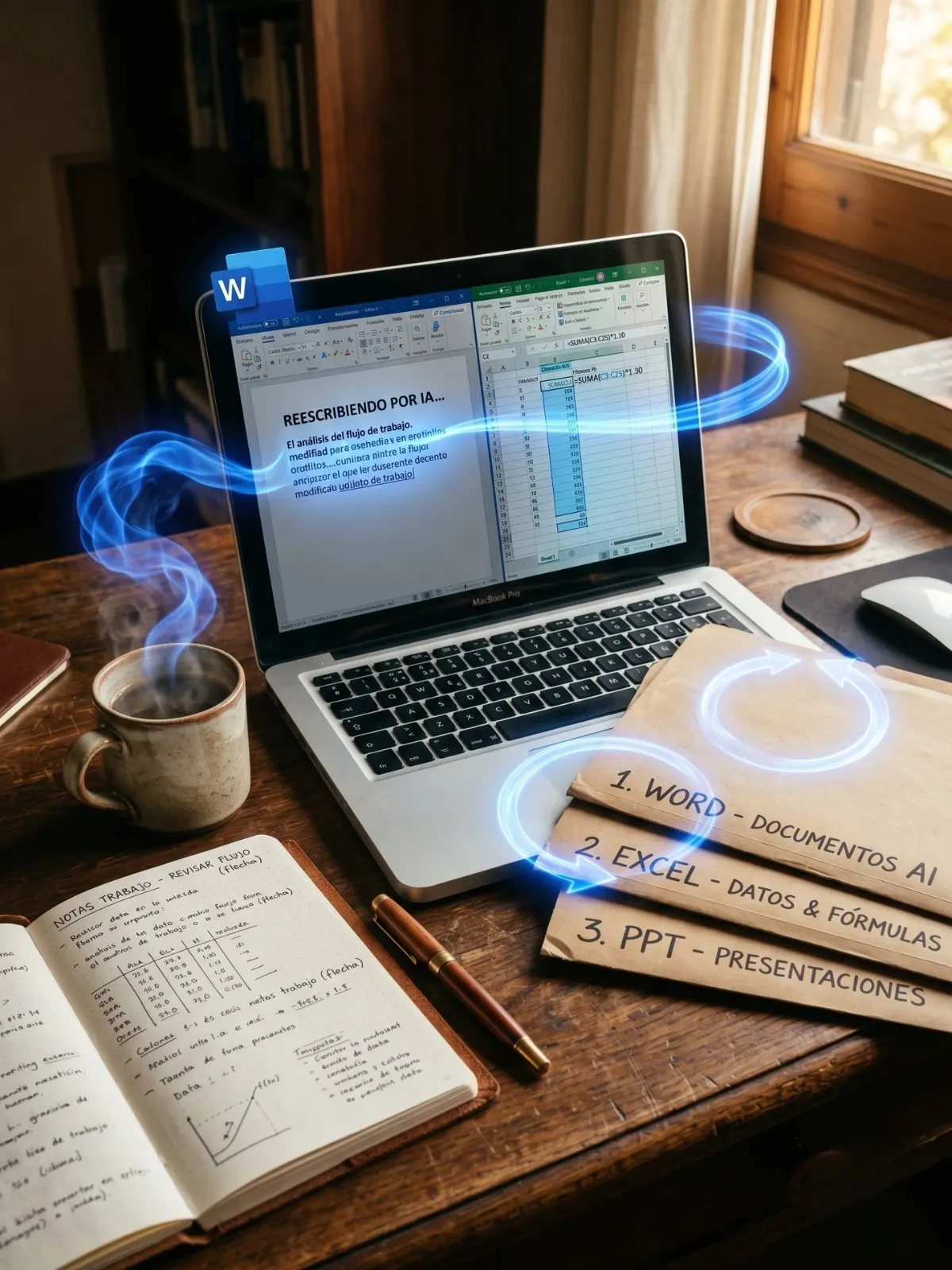
On Wednesday morning, Excel did something you used to do.
No hand on the mouse, no copy-paste, no manual formula. You say: "refresh the March numbers, add a margin column, highlight in red anything below target, and build the trend chart for the last six months." It does it. Inside the document. While you watch it work.
That's Copilot Agent Mode. And as of April 22, it's available to anyone paying for Microsoft 365 with Copilot — no betas to apply for, no early access requests, no extra licenses.
"The shift isn't that Office got AI. It's that AI stopped suggesting and started doing."
What happened this week
Microsoft announced on April 22 the General Availability of Agent Mode inside Word, Excel, and PowerPoint. The feature had been in preview since December. What changed this week is that Microsoft turned it on by default across every paid Copilot plan.
According to figures Microsoft provided in the announcement, during the preview phase Excel engagement grew 67%, retention rose 50%, and user satisfaction reached 65%. These are vendor figures based on internal metrics that aren't public. What you can verify is what the product actually does — and that's what matters when you open Office tomorrow.
Pricing didn't change. USD 30 per user per month on Business and Enterprise plans, included at no extra cost for consumer Microsoft 365 Personal, Family, and Premium. What's new is what that same price now buys.
What it does in each app, with a concrete example
Word — rough draft to finished document. You give it raw text and a brief: "professional tone, audience is a logistics client, two pages max, add a closing that invites a meeting." The AI rewrites. It doesn't just swap words — it restructures paragraphs, adds missing sections, adjusts tone. You see the edits before accepting. If something feels off, you discard it.
Excel — direct analysis and modification. You give it a workbook and an instruction: "find the anomalous sales in the last quarter, compute standard deviation by category, add a column flagging anything more than two sigmas out, and build the matching bar chart." The AI edits the workbook. Formulas, columns, chart. A side panel lists each change with its undo button.
PowerPoint — full deck refresh. You give it a three-month-old deck: "update Q1 figures with the March close numbers from this Excel, keep the corporate template, add a closing slide with the next three actions." The AI refreshes the deck. It swaps numbers, holds the visual line, adds new slides matching the existing format.
Without context, those requests sound like "you could already do that with Copilot." Not really. Before, you asked for the content — the suggestion — and you applied it yourself. Now the AI applies the changes directly to the document.
The detail that's not in the press release
Microsoft says "Agent Mode" and a lot of readers assume the engine is 100% Microsoft's own. It isn't.
The agentic engine in Copilot mixes several models. Per the product's public documentation, it uses OpenAI models (GPT-5.5 and variants) and Anthropic models (Claude Opus 4.7 and Sonnet 4.6) as an authorized subprocessor. The AI drafting your Word document might come from the same Claude family you use elsewhere. It just lives inside Office now, with context and control managed by Microsoft.
What does that mean for you? When an internal review says "Word drafted this well" or "Excel read it weirdly," part of the credit or the complaint goes to Anthropic or OpenAI — not Microsoft directly. Microsoft built the integration. The reasoning comes from the others.
This isn't trivial. It means your organization's choice between OpenAI and Anthropic isn't yours to make at the tool-selection step anymore — Microsoft made it inside the product. And they keep making it every time the model routing behind Agent Mode gets updated.
When to use Agent Mode and when to stay with Claude separately
The practical rule worth adopting this week:
For work that lives 100% inside the document — drafting a report chapter, updating a monthly Excel, refreshing a deck with new data from the same file — Agent Mode is the right tool. It lives where the document lives. No copy-paste. No format loss. It cuts Office's operational friction at a low cost.
For work that crosses tools — reading Drive, sending email, checking the calendar, cross-referencing an external dashboard, generating new images, executing code — Claude with MCP (or GPT-5.5 with its tools) is still more flexible. Microsoft doesn't connect what's outside Office as well as it connects what's inside.
The smart play is to use both. Word/Excel/PowerPoint with Copilot Agent for daily work inside Office. Claude (or ChatGPT) separately for flows that go beyond Office. It's not picking sides — it's matching tool to job.
What's next
This week's move opens a critical three-month window for anyone who lives in Office.
AI inside the document is going to start eating work you used to do by hand. Professionals who learn to delegate well to Agent Mode will pull ahead of those who keep doing it all manually. The learning curve is short — two weeks of small tasks is enough to figure out how your Copilot instance reads you.
What about you? Which boring but recurring Office task could you hand off this week to free your time for what actually matters?
Picture this. You walk into the office on a Monday and the intern did the work on their own.
They didn't ask for the file. They didn't ask how you wanted the spreadsheet laid out. They opened the March close in Excel, refreshed the numbers with the new data, redrew the chart, and left it on your desk with a sticky note that says "review and approve."
That's what Microsoft just put inside Office.
What happened this week
On Wednesday, April 22, Microsoft turned on a feature called Agent Mode for everyone inside Word, Excel, and PowerPoint. Before this week, it was a preview for some. Now it's live for anyone paying Microsoft 365 with Copilot.
The shift is easy to describe. You used to ask Copilot "help me with this," and Copilot would give you text, an idea, a suggestion. You did the work afterwards. Now you say "do it," and Copilot does it inside the document.
Before, Copilot suggested. Now, it executes.
How it looks in each app
In Word, the AI can take a messy draft and hand it back tightened up, in a more formal or warmer tone depending on what you asked. It shows the changes before you accept — like classic Track Changes.
In Excel, the AI can add columns, compute formulas, build pivot tables, draw the chart you asked for. It edits the workbook directly. A side panel lists each change and lets you roll back any single one.
In PowerPoint, the AI can refresh an entire deck with new data while respecting your company's template. You say "update the Q1 numbers with these new figures" and the slides change, the formatting holds, the visual line stays consistent.
What to do this week
The best thing you can do this week is try one small task. Just one.
For example: open the Excel where you track something for work and tell Copilot "add a column that computes the margin between these two and highlight in red anything under 10%." Then watch what it does. Don't delegate anything important yet — just learn how it decides.
Once you've tried it three times and gotten a feel for how it reads you, then you start delegating real work. It's the same curve we all rode learning to search Google. Strange at first. Natural after a while.
Which boring task are you going to try first?
On Wednesday morning, Excel did something you used to do.
No hand on the mouse, no copy-paste, no manual formula. You say: "refresh the March numbers, add a margin column, highlight in red anything below target, and build the trend chart for the last six months." It does it. Inside the document. While you watch it work.
That's Copilot Agent Mode. And as of April 22, it's available to anyone paying for Microsoft 365 with Copilot — no betas to apply for, no early access requests, no extra licenses.
"The shift isn't that Office got AI. It's that AI stopped suggesting and started doing."
What happened this week
Microsoft announced on April 22 the General Availability of Agent Mode inside Word, Excel, and PowerPoint. The feature had been in preview since December. What changed this week is that Microsoft turned it on by default across every paid Copilot plan.
According to figures Microsoft provided in the announcement, during the preview phase Excel engagement grew 67%, retention rose 50%, and user satisfaction reached 65%. These are vendor figures based on internal metrics that aren't public. What you can verify is what the product actually does — and that's what matters when you open Office tomorrow.
Pricing didn't change. USD 30 per user per month on Business and Enterprise plans, included at no extra cost for consumer Microsoft 365 Personal, Family, and Premium. What's new is what that same price now buys.
What it does in each app, with a concrete example
Word — rough draft to finished document. You give it raw text and a brief: "professional tone, audience is a logistics client, two pages max, add a closing that invites a meeting." The AI rewrites. It doesn't just swap words — it restructures paragraphs, adds missing sections, adjusts tone. You see the edits before accepting. If something feels off, you discard it.
Excel — direct analysis and modification. You give it a workbook and an instruction: "find the anomalous sales in the last quarter, compute standard deviation by category, add a column flagging anything more than two sigmas out, and build the matching bar chart." The AI edits the workbook. Formulas, columns, chart. A side panel lists each change with its undo button.
PowerPoint — full deck refresh. You give it a three-month-old deck: "update Q1 figures with the March close numbers from this Excel, keep the corporate template, add a closing slide with the next three actions." The AI refreshes the deck. It swaps numbers, holds the visual line, adds new slides matching the existing format.
Without context, those requests sound like "you could already do that with Copilot." Not really. Before, you asked for the content — the suggestion — and you applied it yourself. Now the AI applies the changes directly to the document.
The detail that's not in the press release
Microsoft says "Agent Mode" and a lot of readers assume the engine is 100% Microsoft's own. It isn't.
The agentic engine in Copilot mixes several models. Per the product's public documentation, it uses OpenAI models (GPT-5.5 and variants) and Anthropic models (Claude Opus 4.7 and Sonnet 4.6) as an authorized subprocessor. The AI drafting your Word document might come from the same Claude family you use elsewhere. It just lives inside Office now, with context and control managed by Microsoft.
What does that mean for you? When an internal review says "Word drafted this well" or "Excel read it weirdly," part of the credit or the complaint goes to Anthropic or OpenAI — not Microsoft directly. Microsoft built the integration. The reasoning comes from the others.
This isn't trivial. It means your organization's choice between OpenAI and Anthropic isn't yours to make at the tool-selection step anymore — Microsoft made it inside the product. And they keep making it every time the model routing behind Agent Mode gets updated.
When to use Agent Mode and when to stay with Claude separately
The practical rule worth adopting this week:
For work that lives 100% inside the document — drafting a report chapter, updating a monthly Excel, refreshing a deck with new data from the same file — Agent Mode is the right tool. It lives where the document lives. No copy-paste. No format loss. It cuts Office's operational friction at a low cost.
For work that crosses tools — reading Drive, sending email, checking the calendar, cross-referencing an external dashboard, generating new images, executing code — Claude with MCP (or GPT-5.5 with its tools) is still more flexible. Microsoft doesn't connect what's outside Office as well as it connects what's inside.
The smart play is to use both. Word/Excel/PowerPoint with Copilot Agent for daily work inside Office. Claude (or ChatGPT) separately for flows that go beyond Office. It's not picking sides — it's matching tool to job.
What's next
This week's move opens a critical three-month window for anyone who lives in Office.
AI inside the document is going to start eating work you used to do by hand. Professionals who learn to delegate well to Agent Mode will pull ahead of those who keep doing it all manually. The learning curve is short — two weeks of small tasks is enough to figure out how your Copilot instance reads you.
What about you? Which boring but recurring Office task could you hand off this week to free your time for what actually matters?
What Microsoft announced on April 22 isn't a feature. It's the formalization of an operational paradigm shift inside the most-used productivity software in the world. Office stopped being a user tool and turned into a substrate where the user delegates tasks to an agent — and where the agent executes them inside the file itself, not outside.
Anyone reading the announcement only as "agentic capabilities" misses the technical and economic subtext. There are three parallel moves worth unpacking to understand the full play: the subprocessor model, the routing decision between frontier providers, and the change in Copilot's unit of sale.
What happened this week
Microsoft put Agent Mode into GA on April 22 inside Word, Excel, and PowerPoint. The feature had been in public preview since late 2025 and in private preview with select Enterprise customers before that. It's available across Microsoft 365 Copilot Business, Enterprise, Education, and Government plans at the existing USD 30 per user per month, with no additional license. For consumers, it's included in Microsoft 365 Personal, Family, and Premium at no extra cost.
Microsoft reported preview-period data: Excel engagement +67%, retention +50%, satisfaction 65% (all figures provided by Microsoft in the announcement, based on internal non-audited metrics). The number that matters more, and isn't published: the fraction of tasks completed end-to-end in preview without manual user intervention on intermediate steps. That figure defines Agent Mode's real success better than declared satisfaction — and since it's not published, the rest needs the obligatory grain of salt.
In parallel (and not by coincidence), Microsoft tightened access to Copilot Chat on April 15 for organizations over 2,000 seats without a paid license. The move pushes upgrades to paid plans where Agent Mode is included — the upsell activates exactly the week GA opens up the flagship feature.
The key architectural piece: Anthropic as subprocessor
The detail general coverage doesn't stress enough: Microsoft confirmed in its data-processor documentation that Anthropic acts as an authorized subprocessor for Microsoft 365 Copilot. In practice, that means for certain tasks Copilot's internal routing goes to Anthropic models (Claude Opus 4.7 and Sonnet 4.6) — not exclusively OpenAI nor Microsoft's own trained models.
This closes a conversation that started in September 2024 when Microsoft announced Microsoft 365 Copilot Frontier would add Claude models. This week's GA is the first time that arrangement becomes operational in a mass-market product, not just betas or specific Enterprise contracts.
The business model this implies is interesting. Microsoft charges USD 30 to the end customer, and a percentage of those dollars flows to Anthropic via the subprocessor contract. The relationship has three consequences:
First: Microsoft needs Anthropic to keep existing and improving. The company that provides the best analytical capability for specific sub-tasks inside Office isn't disposable — it's structural.
Second: routing decisions are Microsoft's, not the user's. The organization that prefers OpenAI over Anthropic (or vice versa) has no voice in which model drafts its Word document. That choice is abstracted away.
Third: the lock-in changes shape. The old lock-in was to Microsoft (the Office suite). The new one is to Microsoft plus a consortium of frontier providers Microsoft selects. If Anthropic raises prices, Microsoft reroutes to OpenAI. If OpenAI degrades quality, Microsoft reroutes to Anthropic. The user never sees it.
Agent Mode economics vs Claude standalone
Quantitative comparison relevant for architecture decisions in organizations that already use both:
| Dimension | Copilot Agent Mode | Claude standalone with MCP |
|---|
| Per-user pricing per month | USD 30 (includes Office) | USD 20 (Pro) or USD 200 (Max) |
| Models behind it | OpenAI + Anthropic + Microsoft | Anthropic exclusive |
| Native Office integration | 100% (in-document) | Via MCP / extension / paste |
| External tool integration | Limited to Microsoft ecosystem | Open MCP, ~120 connectors |
| Version control | Native Track Changes in Word; side-panel undo in Excel | Project snapshots; no granular undo |
| Enterprise auditing | Included in M365 Compliance Center | Anthropic Console + custom logging |
| Estimated output tokens/month (avg pro use) | ~30M | ~12M (use outside pure productivity) |
The defensible read: for a professional whose 80% of work happens inside Word/Excel/PowerPoint, Copilot Agent Mode wins on native integration. For a professional whose work spans tools (research, code, marketing, cross-channel comms), Claude standalone wins on MCP flexibility. The vast majority of mid-sized organizations need both — not as redundancy, but as functional specialization. The question isn't "which?" — it's "what split?".
Editorial stance — pro-Claude defended with caveat
For this blog's readers, the stance stays pro-Claude. Not by dogma — by argument. Three concrete reasons hold even after this week's announcement:
First: Claude standalone with Projects keeps project memory across months. Agent Mode works session by session over the open document. For sustained high-cognitive-density work (long legal review, long-form editorial drafting, complex financial analysis), Claude's "one session = one objective" model beats Copilot's "one document = one task."
Second: Claude's interpretive default — asking before deciding when a task is ambiguous — remains better suited for work where the cost of error isn't measured in lost time but in reputational damage. Agent Mode has a more executor-leaning default. Microsoft's default is logical for a mass productivity tool. Claude's default is better for judgment work.
Third: Anthropic's editorial line on alignment, capabilities, and responsible disclosure (including the decision not to release Claude Mythos Preview, announced this same week at red.anthropic.com) is relevant for professionals who have to justify to their compliance or legal teams why the AI tool they picked doesn't introduce disproportionate risk. Anthropic's philosophy translates into corporate argumentation.
But — and this caveat sustains the stance — Copilot Agent Mode inside Office is the best tool for those specific tasks inside Office, precisely because it lives there. The general preference for Claude doesn't break; it sharpens. For Office, Microsoft Agent Mode (which internally uses Claude for many sub-tasks). Outside Office, Claude direct.
What's next
Three moves to expect in the next quarter:
Anthropic will push hard for a parallel integration — Claude for Microsoft 365 — giving the user direct control over the model inside Office, without going through Copilot's abstraction. There are precedents with Apple and Salesforce. If Anthropic lands that integration with Microsoft's blessing (unlikely) or via a documented side API (more likely), the lock-in Microsoft just closed starts to loosen.
Google will counter-attack with Gemini Enterprise Agent Platform, announced at Cloud Next 2026 (a rebrand of Vertex AI). The battlefield this time isn't Office — it's Workspace. Gemini will put agent mode inside Docs, Sheets, and Slides with the same logic Microsoft just showed. Expected Q3 2026.
OpenAI already shipped GPT-5.5 with explicit focus on agentic capabilities, and will go after agentic workload outside Office through Operator and Codex. The triangulation holds: Microsoft + Anthropic + OpenAI inside Office (different routes per task), Anthropic standalone for the pro professional, Google standalone for Workspace, OpenAI standalone for agents-as-a-service. Four simultaneous fronts, each with a legitimate niche.
The professional who positions well in May 2026 will have a clear mental map of which tool for which task — not a single preference. The single-brand-for-everything was 2024. The ecosystem-by-task is 2026.
What's your read on the trade-off between native integration (Copilot in-document) vs granular control (Claude standalone)? What mixed allocation will you run for your work next quarter?